
A flight sequence lasts a few seconds.
A harrier turns over a field, a tern folds into a dive, a kingfisher leaves its perch. If the buffer fills halfway through, the camera slows to the speed the card can write, and the frames you miss are usually the wing position and head angle you were waiting for.
Choosing among the best memory cards for bird photography burst shooting comes down to one question: how fast can this card accept data once the camera’s buffer is full?

The answer depends on the card, the slot in your camera, the raw format you shoot and, in some cases, the temperature of the card.
This guide covers each of those so you can pick a card for the body you already own.
Why a full buffer costs you the shot, and what the card has to do with it
When you hold the shutter down, the camera does not write each frame directly to the card.
It stores the frames in fast internal memory, the buffer, and copies them to the card in the background. As long as the buffer has room, the camera shoots at its full frame rate.
The buffer is finite. If the camera captures frames faster than the card absorbs them, the buffer fills.
At that point the frame rate drops to roughly the rate at which the card frees up space, and in some bodies shooting stops for a moment.
After you release the shutter, the camera keeps writing, and the buffer-clearing time is how long you wait before it is fully available again.
Two separate problems come out of this:
- Burst depth: how many frames you get at full speed before the slowdown. This is set mostly by the size of the camera’s buffer, the file size per frame and, once the buffer starts to drain during the burst, the card.
- Clearing time: how long the camera takes to empty the buffer afterward. This is almost entirely a function of how fast the card and the camera’s slot can write data.
For birds, clearing time matters as much as depth.
A second flight pass often comes thirty seconds after the first, and a camera that is still writing the first burst may respond slowly to the next shutter press.
A faster card shortens that wait.
It cannot enlarge the buffer or raise the camera’s maximum frame rate.
Read speed, sustained write speed and the minimum-speed markings: which number matters for bursts
Card packaging leads with a large number, usually a read speed in megabytes per second.
Read speed tells you how quickly files come off the card when you copy them to a computer. It has no effect on the buffer.
The number that matters in the field is write speed, and there are two kinds:
- Peak (maximum) write speed: the highest rate the card reaches, often for a short time while it writes into a fast internal cache.
- Sustained write speed: the rate the card holds when it is written to continuously for longer than that cache lasts.
A burst of large raw files at a high frame rate is a sustained workload.
Once the buffer has filled, the camera sends a steady stream of data, so a card with an impressive peak and a weaker sustained rate will clear the buffer slowly.
Some manufacturers publish only the peak figure, so independent review testing that measures sustained writing is the more reliable source.
Do not take a specific figure from a retailer listing as a guarantee of burst performance.
The minimum-speed markings
Several symbols on the card describe a guaranteed floor, not a ceiling:
- Speed Class (C) and UHS Speed Class (U): U3 means a minimum sustained write of 30 MB/s.
- Video Speed Class (V): V6, V10, V30, V60 and V90 correspond to minimum sustained write speeds of 6, 10, 30, 60 and 90 MB/s.
These ratings were designed for video recording, where a dropped data rate ruins a clip, so they promise a minimum the card will not fall below.
A V30 card may write much faster than 30 MB/s, and a V90 card may write well above 90 MB/s.
The marking is still useful when you compare two cards of the same type: a higher V-class tells you the manufacturer guarantees a higher sustained floor.
It is not a measurement of how fast the card clears your buffer.
Cards of the same V-class from different manufacturers can differ in real burst clearing. If a review includes a sustained write test or a buffer-clearing test on a body like yours, weigh that over the label.
SD UHS-I, UHS-II and the V-class rating: what your SD slot can really use
SD cards come in three bus generations that matter here: UHS-I, UHS-II and the faster UHS-III, which is rarely used in cameras.
The cards look similar, but a UHS-II card has an additional row of contact pins on the back. Those pins carry the faster interface.
The camera’s slot decides which interface is used.
A UHS-II card in a UHS-I slot still works, but it communicates over the UHS-I bus, and you get UHS-I performance.
You paid for speed the body cannot use. In the other direction, a UHS-I card in a UHS-II slot works and runs at UHS-I speed, which makes it the cheaper choice for a body whose slot supports only UHS-I.
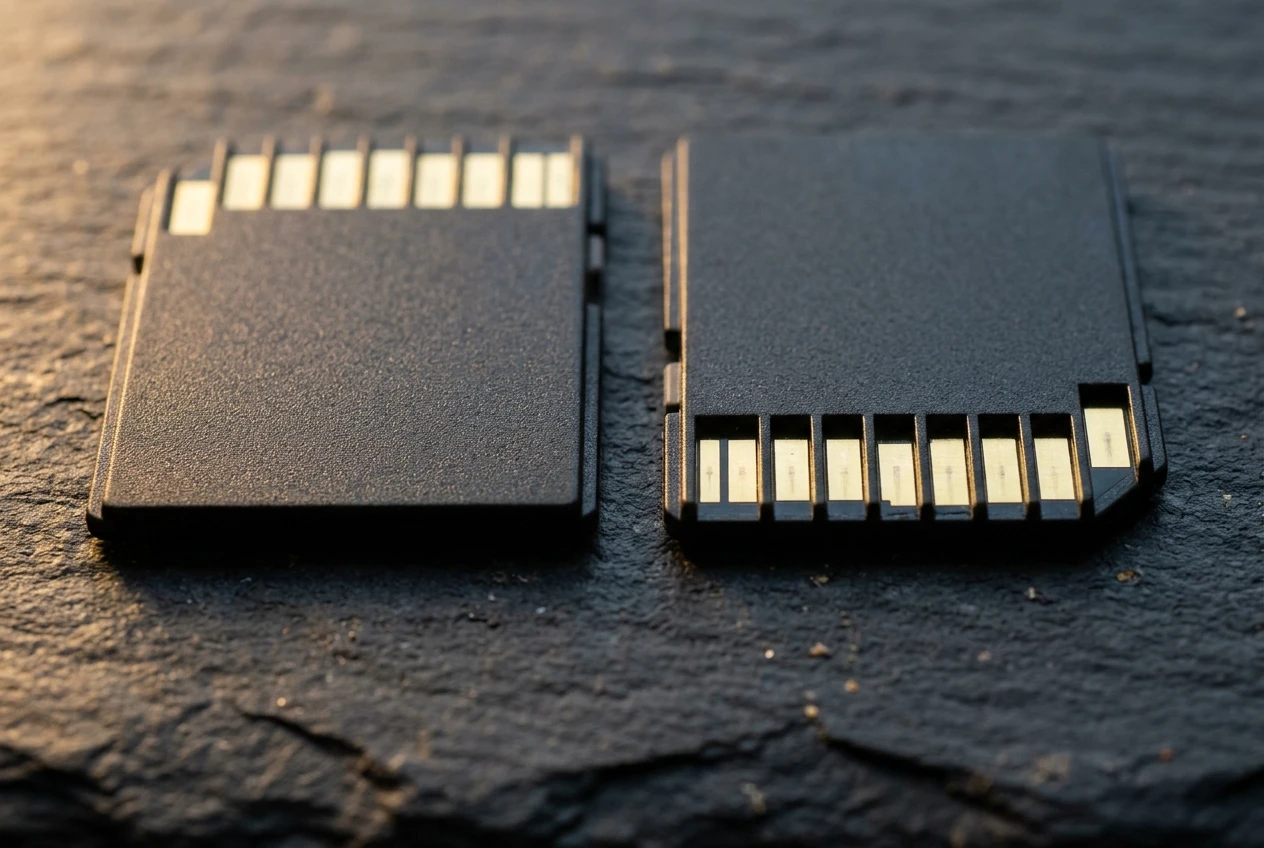
For that reason, the first question for any SD card is whether your camera has a UHS-II slot.
Your manual or the manufacturer’s specifications page lists the supported interface for each slot.
Many bodies with two SD slots support UHS-II in one and UHS-I in the other, so check each slot separately.
If your slot is UHS-II and you shoot fast raw bursts, a UHS-II card with a V60 or V90 rating is the sensible class to consider.
If the slot is UHS-I, a good UHS-I card with a U3 or V30 marking covers the ordinary use of that interface, and spending more on a UHS-II card will not shorten the buffer clearing.
In that situation, a smaller raw format or a lower frame rate in the highest-speed mode improves clearing more than a card change.
CFexpress Type A and Type B: which bodies need them and what changes in buffer clearing
CFexpress is a card format that uses the PCI Express interface, which allows much higher data rates than the SD bus.
It comes in several physical sizes, and two matter for cameras:
- Type B: the larger of the two, the same physical size as the older XQD format. Many higher-end mirrorless bodies from manufacturers such as Canon and Nikon use Type B slots.
- Type A: a smaller card, used by some Sony bodies. Several of those bodies use a combination slot that accepts either a CFexpress Type A card or a UHS-II SD card.
The two types are not interchangeable.
A Type A card does not fit a Type B slot and the reverse is also true, so the slot type on your body settles the choice before speed comes into it.
Some Type B slots accept older XQD cards, but the manual states which.
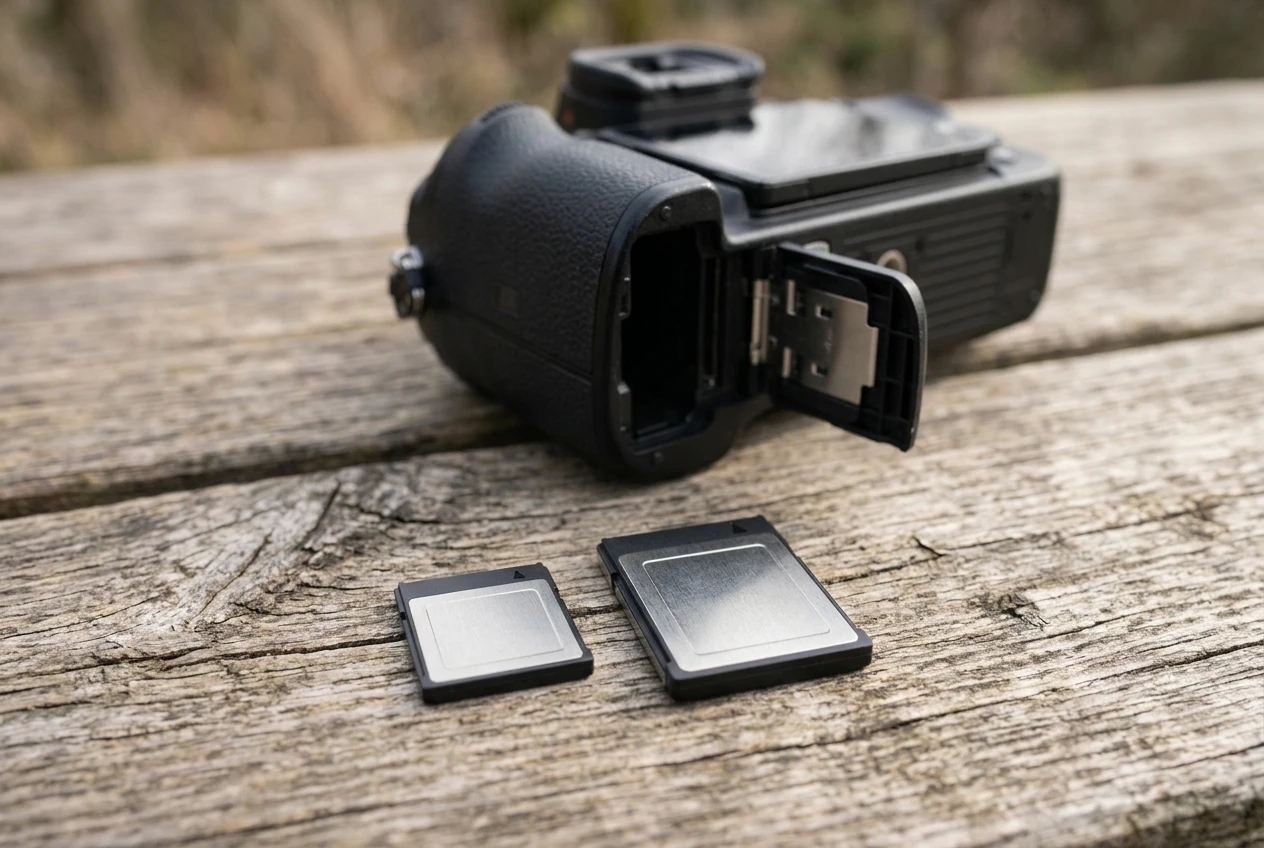
What changes for bird photography is the ceiling on data rate.
A body designed around CFexpress can write much faster than a UHS-II SD slot allows, which is why those bodies can sustain high frame rates with large raw files for longer.
When you move from a UHS-II SD card to a CFexpress card in a body that supports both, buffer clearing typically shortens, but the result depends on the body, so do not assume a fixed improvement.
The camera has its own limit on how fast it can move data from the buffer to the card.
Faster cards also use more power and generate more heat, which comes up again in the durability section.
CFexpress cards usually cost more per gigabyte than SD cards, so you can reasonably decide on a CFexpress card only if your body gains from it in your type of shooting.
How to match a card to your camera: checking slot type, bus support and raw format before you buy
Work through four checks before you buy anything.
- Slot type. Find out whether each slot takes SD, CFexpress Type A, CFexpress Type B, or a combination. The manual’s specification page and the section on inserting cards will say.
- Bus support. For SD slots, confirm whether the slot supports UHS-I or UHS-II. For CFexpress slots, check the manufacturer’s notes on the PCIe generation and on any card requirements.
- Raw format and file size. Raw files vary in size according to bit depth, compression (uncompressed, lossless compressed, or a high-efficiency or smaller format where the body offers one), the resolution of the sensor and ISO. A larger file takes longer to write. If your camera offers a lossless compressed raw option, switching to it reduces the data per frame and shortens clearing time with a card you already own. Shooting raw and JPEG together adds a second file per frame and slightly more data to write.
- The manufacturer’s compatible card list. Camera manufacturers publish lists of cards they have tested, and some state requirements for specific features, such as the highest frame rate or the highest-quality video modes. Those lists reflect the body’s own testing, so they are the best starting point.
After those checks, look for independent tests of cards in your body, and choose a card from the compatible list that has a good sustained write result and a V-class or CFexpress rating that matches the slot’s capability.
The camera guide linked at the end of this piece lists bodies and what they use, if you are still choosing a camera, and our guide to photographing birds of prey in action covers the shooting side of the same fast sequences.
Testing a card yourself: a repeatable burst-and-clear routine in the field
Published figures tell you what a card can do in a lab. A short test in your own camera tells you what it does with your settings, and it takes about ten minutes.
The routine below keeps conditions consistent so you can compare cards.
- Format the card in the camera you will test it in.
- Set the camera to the way you shoot: the highest continuous drive mode you use for flight, the raw format you normally use, and the shutter type (mechanical or electronic) you normally use.
- Choose a repeatable scene. Point at a similar subject each time, in the same light, at the same ISO. Scene detail and ISO change raw file size, so a plain wall and a busy hedge produce different results.
- Shoot a burst until the frame rate drops. Hold the shutter and count frames, or review the burst afterward by checking the file numbers, until you notice the rate slowing or the buffer indicator filling.
- Time the clearing. Release the shutter and time how long it takes for the card access light to go out or for the buffer indicator to show full availability.
- Repeat three times and note the results.
- Log them. Record the card, the slot, the raw format, the frame count and the clearing time.
Test each card in the same body and slot, and test the same card again when it is nearly full and when it has been warm from use, as a card can write slower under those conditions.
If a card clears slowly in your test but the label suggests it should be fast, check that the card is in a slot that supports its full interface.
Slot limits explain most surprising results.
Durability for outdoor use: heat, cold, moisture, card cases and when to retire a card
Birders use cards at dawn in cold, at midday in sun and sometimes in rain, and the card spends much of its life in a pocket or a bag.
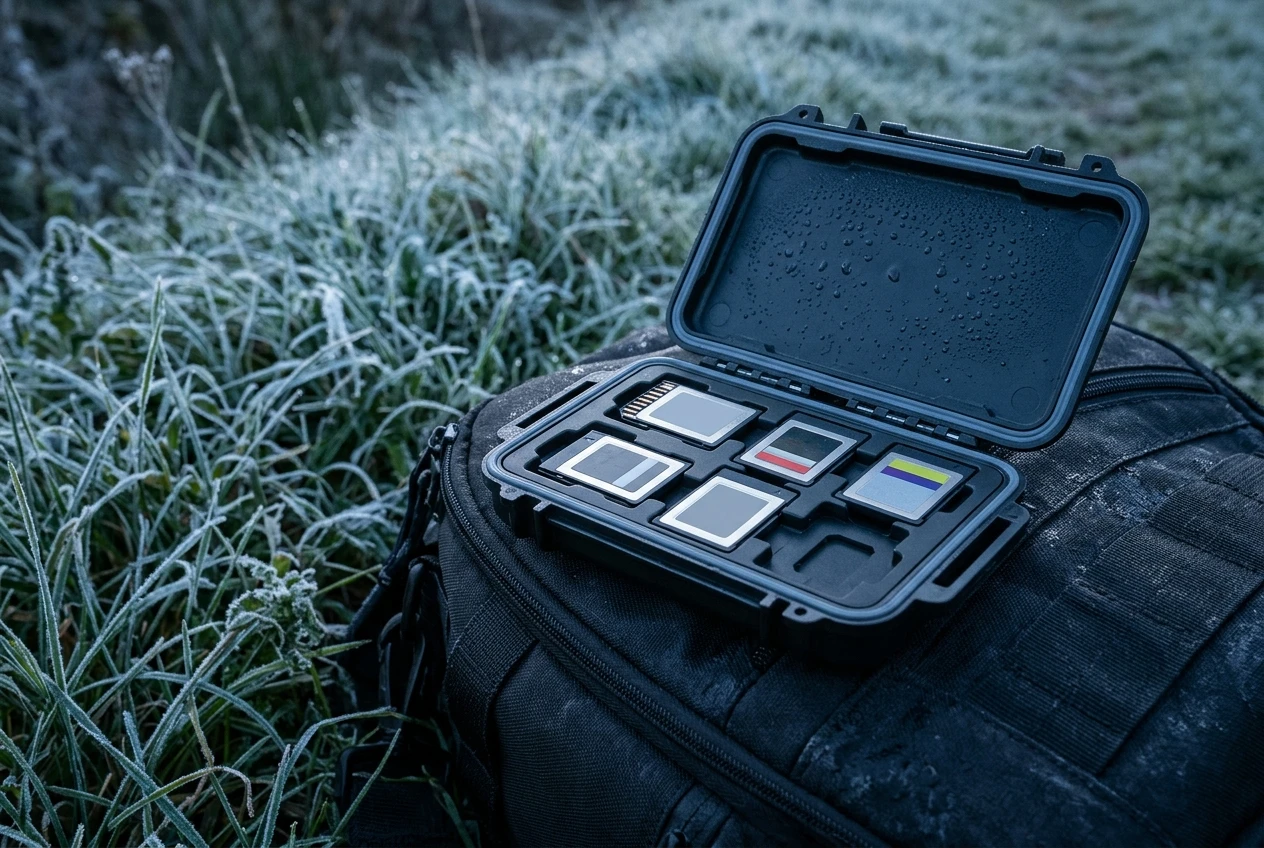
- Temperature. Card specifications list an operating temperature range and a storage range, so check both for your climate. Fast cards, particularly CFexpress, can get hot during long bursts, and some throttle their write speed to manage heat. If clearing times worsen over a long session, heat is a likely cause. Keep the camera out of direct sun between bursts where possible.
- Condensation. Moving a camera from a cold exterior into a warm car or building causes condensation on and inside the equipment. Leave the card in the camera inside a sealed bag while it warms slowly, and do not swap cards until everything is at room temperature.
- Moisture and dust. Many cards are advertised as water-resistant, but the card slot and the contacts are the weak points. Dry the card before insertion and keep the contacts clean and untouched.
- Cases. A rigid card case with individual slots protects cards from bending and from contact with keys or coins. Keep unused cards in the case and used cards in a separate section so you know which have been backed up. Store a few spares in the bag you carry, not in the car.
- The write-protect tab. On SD cards, the lock switch is a small plastic part that can break or slide to the locked position. If the camera reports a card error that doesn’t make sense, check the tab first.
When to retire a card
Flash memory wears out through repeated writing, and manufacturers do not publish one universal number of writes that suits every card.
Retire a card when it shows errors, fails to write or read files, drops out in the middle of a burst, shows visible damage to the contacts or casing, or starts to clear the buffer noticeably slower than it did when you first tested it.
Because losing a day of flight sequences costs more than a card, it is reasonable to replace a heavily used card on a schedule that suits you, without waiting for it to fail.
Card readers, formatting in-camera and dual-slot settings for backup versus overflow
Three habits affect speed and safety after the shoot.
Use a reader that matches your card. Copying files through the camera’s USB connection is usually slower than a dedicated reader.
A UHS-II SD card needs a UHS-II reader to transfer at the faster rate, and a CFexpress Type B or Type A card needs a reader for that exact type.
A reader that supports the wrong standard will still read the card, only more slowly.
Format in the camera. Formatting in the camera you will shoot with builds the folder structure and file system that the camera expects.
Do it after you have copied the files off and checked that they open. Do not delete files one by one in the camera to clear space, because formatting is cleaner and quicker.
Choose the dual-slot mode deliberately. Bodies with two card slots usually offer several modes, and they behave differently in a burst:
- Overflow (sequential): the camera writes to slot 1 until it is full, then moves to slot 2. This extends capacity and has no effect on buffer speed.
- Backup (simultaneous): each frame is written to both cards. Buffer clearing is then limited by the slower of the two cards, so a fast card in slot 1 paired with a slow card in slot 2 gives you the slow card’s clearing time. Use two cards of similar speed if you shoot in this mode.
- Raw to one card, JPEG to the other: this splits the data and can ease the load on each card, but check how your body manages the buffer in this mode, as some limit the burst to the slower slot’s write rate.
For long flight bursts where speed matters most, test your body in each mode with the routine above and use the one that gives the shortest clearing time you can live with. If you need backup, matched cards are worth the cost.
Pick the card after you know the slot
The sequence is simple. Find out which slot types and bus speeds your body supports, choose a raw format that suits your shooting, pick a card with a sustained write speed that fits the slot, and then test it.
Check the compatible card list in your camera manufacturer’s manual, then see which cards suit your body in our camera guide.